

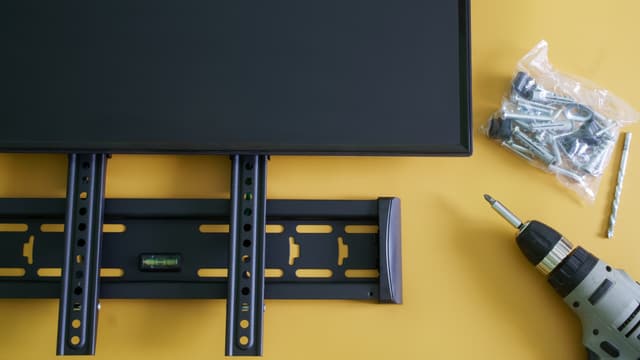
The mount is already bolted to the studs, the cables are tucked away, and twenty minutes into the first movie every person on the sofa is tilting their chin toward the ceiling and rolling out a stiff neck. The picture looks washed out along the top third of the screen. Nobody wants to say it out loud, but the screen went up too high, and figuring out how high to mount a TV after the holes are drilled is a much worse project than getting it right the first time.
Get Your TV Mounted Right the First Time
Our team helps you match the right screen size, mount style, and viewing height to your room, then handles the install so nothing has to be re-drilled. Shop TVs, mounts, and professional installation in one place.
Good news travels faster than a repair bill, and our team has already done the measuring for you. This guide walks through the one baseline number that works in most living rooms, a size-by-size height chart you can carry to the wall, exact numbers for bedrooms, kitchens, home gyms and patios, the workaround for a fireplace wall, and the warning signs that a screen is sitting too high right now.
Key Takeaways
- The 42-inch baseline: For most adults seated on a standard sofa, the center of the screen should land about 42 inches from the floor. That single measurement solves the majority of living room installs.
- Center of screen, not bottom edge: Height is always measured to the middle of the picture. Larger screens push the bottom edge closer to the floor while the center stays put.
- Rooms change the math: Bedrooms need a higher center near 50 to 60 inches because you watch reclined. Kitchens, bars, and gyms sit higher still because viewing happens standing.
- Stay inside 15 degrees: Once the screen sits more than about 15 degrees above your line of sight, neck strain starts and LED picture quality drops off.
The Eye-Level Rule That Answers How High to Mount a TV
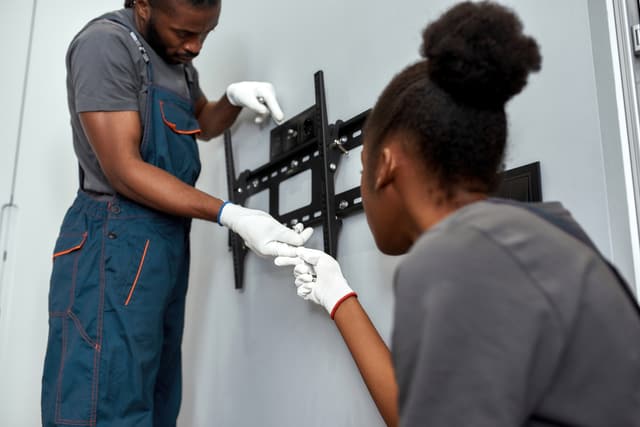
Start with the number that solves most rooms: the center of the screen belongs at seated eye level, which is roughly 42 inches from the floor for an average adult on standard sofa seating.
Notice that the reference point is the middle of the picture, not the bottom edge and not the mounting bracket. Screen sizes change, so the bottom edge moves. The center does not. Seated eye level for most adults falls somewhere between 38 and 44 inches depending on height and how deep the sofa cushions sit.
There is also an industry ceiling on how far off-center your eyes should have to travel. THX recommends keeping the vertical viewing angle under 15 degrees from screen center. Push past that and two things go wrong at once. Your neck holds a lifted position for two hours straight, and on LED and LCD panels the contrast flattens and colors shift when you view the picture from below.
Treat 42 inches as a starting line rather than a rule. Three terms carry through the rest of this guide:
- Center height: the distance from the floor to the middle of the screen.
- Bottom-of-screen height: the distance from the floor to the lower edge of the panel.
- Vertical viewing angle: how many degrees your eyes travel upward from level to reach screen center.
Read more:
Measure Your Own Ideal TV Height in Five Minutes
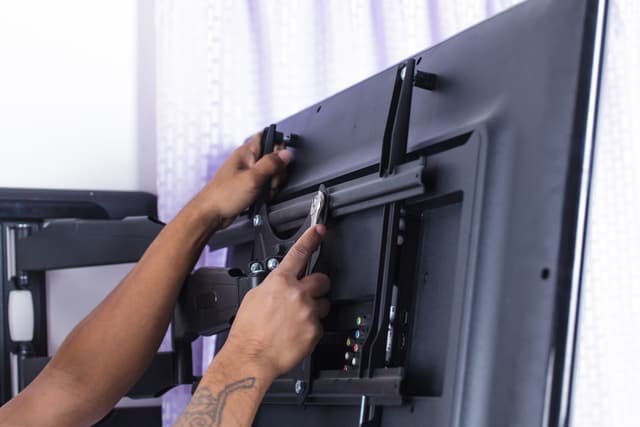
Your room is not an average, so spend five minutes measuring instead of borrowing a number off the internet.
- Sit in the actual seat you watch from, in the position you actually sit in.
- Measure from the floor to the center of your eyes.
- Look up the screen height of your specific TV on the manufacturer spec sheet.
- Subtract half the screen height from your eye-level measurement.
- That result is your bottom-of-screen mark.
Run the numbers on a 65-inch set. The panel is roughly 32 inches tall, so half of that is 16 inches. Take 42 inches of eye level, subtract 16, and the bottom edge lands near 26 inches from the floor.
One caution on specs: the diagonal class number is not the screen height. Bezel widths and stand designs vary between models, so pull the real panel height from the spec sheet rather than estimating from the size on the box.
Tape It Out Before You Drill
Outline the screen footprint on the wall with painter’s tape, sit down in your normal spot, and live with that rectangle for an evening. Watching a taped outline through one round of TV feels silly for about four minutes and saves patched drywall later.
While the tape is up, check two clearances:
- Leave 4 to 6 inches between the bottom of the panel and the top of a console or credenza so the screen does not look like it is resting on the furniture.
- Confirm a soundbar and any streaming boxes fit inside that gap without creeping into the picture.
Wall studs sit 16 inches on center in most homes, which sometimes forces a small compromise on the exact height. A mount with a wide horizontal rail gives you side-to-side adjustment and takes some of that constraint back.
TV Mounting Height Chart by Screen Size
Find your size, read across, and take the numbers to the wall. Every row assumes the same 42-inch center height so the pattern stays visible.
| Screen Size | Approximate Screen Height | Center of Screen From Floor | Bottom of Screen From Floor | Recommended Viewing Distance |
|---|---|---|---|---|
| 43 inches | 21 inches | 42 inches | 32 inches | 5.5 to 9 feet |
| 50 inches | 24.5 inches | 42 inches | 30 inches | 6.5 to 10.5 feet |
| 55 inches | 27 inches | 42 inches | 28.5 inches | 7 to 11.5 feet |
| 65 inches | 32 inches | 42 inches | 26 inches | 8 to 13.5 feet |
| 75 inches | 37 inches | 42 inches | 23.5 inches | 9.5 to 15.5 feet |
| 85 inches | 42 inches | 42 inches | 21 inches | 10.5 to 17.5 feet |
| 98 inches | 48 inches | 42 inches | 18 inches | 12 to 20 feet |
Read the fourth column top to bottom and the trend jumps out. As screens grow, the center height holds steady while the bottom edge drops closer to the floor. An 85-inch panel at the correct height sits low enough that a tall console underneath it becomes a problem.
Viewing distance runs roughly 1.5 to 2.5 times the screen diagonal. A room too shallow for the size you bought will feel uncomfortable at any mounting height, because the issue is proximity rather than height.
These figures assume a seated sofa. The room-by-room numbers below override them for bedrooms, kitchens, and bar areas.
Room-by-Room TV Heights for Every Space in Your Home
Most guides stop at the living room. Your house has more rooms than that, and each one changes how your body meets the screen.
Living Room and Family Room
Hold to the 42-inch center height. Then adjust down 2 to 4 inches for deep, low-slung sectionals and recliners, where your hips drop lower and your eye level drops with them.
Bedroom
Raise the center to roughly 50 to 60 inches. You watch reclined and propped against pillows here, so your sightline runs upward from the start. Get in bed in your normal position, close your eyes, then open them and point at the wall without thinking about it. That is your real sightline. A tilting mount is close to mandatory in a bedroom.
Kitchen and Breakfast Nook
Go higher, around 55 to 65 inches at center. Viewing happens standing, from the sink, the island, and the table. Prioritize a swivel or full-motion mount over chasing a perfect fixed number.
Home Bar and Basement Lounge
Base the height on your barstool. Take the seat height and add roughly 24 inches to reach center. That usually lands between 57 and 60 inches.
Home Gym
Mount between 55 and 65 inches at center with downward tilt. Remember that a treadmill deck adds 6 to 8 inches of standing height, so the screen has to work for both a floor mat and a raised deck.
Home Office
Follow monitor logic instead of sofa logic. Keep the center at or slightly below seated desk eye level, generally 40 to 48 inches depending on your chair.
Covered Patio and Outdoor Living
Mount higher so sightlines clear standing guests, and angle away from splash and reflected sun. In Phoenix, heat and monsoon dust matter more than the exact number, which is why outdoor TVs or a rated enclosure belong in the plan from the start.
Quick recap of center heights by room:
- Living room: 42 inches, minus 2 to 4 for deep seating
- Bedroom: 50 to 60 inches
- Kitchen: 55 to 65 inches
- Home bar: 57 to 60 inches
- Home gym: 55 to 65 inches
- Home office: 40 to 48 inches
- Covered patio: above standing eye level, angled down
Mounting a TV Above a Fireplace Without Wrecking Your Sightline
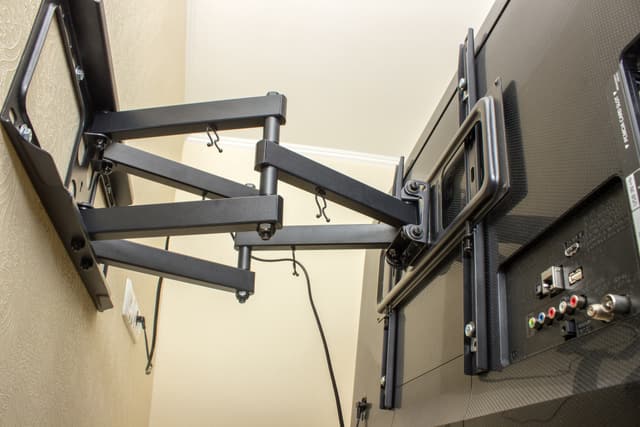
In plenty of Phoenix-area great rooms, the fireplace wall is the only wall with the right width and no window in it. Saying do not do it helps nobody, so here are the working rules.
Aim to keep the bottom of the screen as low as mantel clearance and code allow, and hold the viewing angle inside 15 degrees wherever the room permits.
Heat is the hard limit. Rising heat and soot degrade panels and internal electronics over time. A mantel that projects outward deflects some of that heat away from the screen, and your fireplace manufacturer publishes a minimum clearance above the firebox opening. Check that number before anything else. Gas and wood-burning units expose the screen to very different heat loads.
Two solutions actually fix the sightline rather than hiding it:
- A pull-down articulating mount, which drops the screen 20 inches or more to seated eye level while you watch and returns it flush when you are done.
- A recessed in-wall box, which lets a fixed mount sit tighter and lower against the wall.
If your only option puts the screen more than roughly 15 to 20 degrees above eye level and a pull-down mount is outside the budget, move to a different wall or run a swivel arm off an adjacent wall instead.
Height buys you things. It also costs you things. Understanding the trade in advance keeps you from discovering it during a two-hour movie.
Pros
Clear sightlines over everything
A higher screen stays visible over coffee tables, tall furniture, and standing guests during a party or a game day crowd.
Out of reach of small hands
Toddlers and large dogs cannot bump, smudge, or pull on a screen mounted well above them.
Usable space underneath
Lifting the screen frees the wall and console below it for storage, decor, or a media cabinet that actually holds something.
Works around fixed architecture
Fireplaces, windows, and built-ins do not move. A higher mount often is the only way to use the wall you have.
Cons
Neck and upper-back strain
Holding a lifted head position for a full movie causes real soreness, and it compounds night after night.
Off-axis picture loss
Viewed from below, LED and LCD panels lose contrast and shift color. OLED panels hold up considerably better off-angle, which is worth knowing if a high mount is unavoidable.
Read more:
- Where to Get Professional TV Installation in Phoenix, AZ
- Picture Frame TV Installation Tips: Making It Look Like Real Art
Choosing a Mount That Fits the Height You Need
Mount choice and height choice are the same decision. A fixed mount locks in whatever number you drill, so pick the hardware around the room rather than the other way around.
- Fixed: right for a living room wall where the ideal height genuinely lands at seated eye level.
- Tilting: the default for anything mounted above eye level, including bedrooms.
- Full-motion: built for kitchens and open-plan spaces with several viewing positions.
- Pull-down: the answer for above-fireplace installs where the screen has to come down to be watchable.
Match the hardware to the panel before you buy. Confirm the VESA pattern, leave a comfortable margin between the mount’s weight capacity and the TV’s actual weight, check the mount depth if you want a flush look, and look for post-install leveling adjustment so you are not shimming brackets later.
Wall construction is the part most guides skip, and around the Valley it changes the job completely. Drywall over wood studs, metal studs in newer builds, concrete block, and stucco or masonry on a patio wall each need different anchors, and some of them limit where the mount can land at all.
Here is the detail our installers plan around every week: run the recessed power outlet and low-voltage plate behind the screen before the mount goes up, positioned inside the panel’s footprint at the final height. Reverse that order and you either see a cord or cut a second hole.
Large screens, above-fireplace work, and masonry walls are worth handing off. Our team handles mounting, leveling, and cable concealment as part of professional TV installation.
Signs Your TV Is Mounted Too High and How to Fix It
Run this checklist against the screen you already own:
- Your chin lifts within the first fifteen minutes of watching.
- Your neck or upper back aches after a movie.
- The bottom of the picture looks brighter than the top.
- Ceiling cans or high windows throw glare across the panel.
- You squint without meaning to.
The fast objective test takes ten seconds. Sit down, look straight ahead, and check whether screen center falls at or below that horizontal line. If it sits above, the mount is too high for the room.
Fixes run from cheap to involved:
- Swap the fixed mount for a tilting mount and angle the picture down.
- Add a full-motion arm for tilt plus swivel.
- Patch, re-drill, and lower the mount.
- Move the screen to a different wall.
While you are at it, watch for the other mistakes that cause do-overs: hanging on drywall anchors instead of studs, ignoring VESA and weight ratings, centering the TV on the wall instead of on the seating, forgetting soundbar clearance, and leaving no service slack in the cables.
The measurement that matters comes from your actual seat, not from an average. Take the room-by-room numbers above as your starting point and adjust from where you sit.
How Panel Technology Changes the Height You Can Get Away With
Every height guide treats a screen as a neutral rectangle, and that is where most of them go wrong. Two 65-inch TVs mounted at the identical height can deliver very different pictures, because vertical viewing angle performance is a property of the panel, not the bracket. OLED pixels emit their own light and hold contrast and color at steep angles. LED and LCD panels push light through a layer stack that behaves best when you look straight into it, so viewing from below flattens black levels and drains saturation. If architecture forces a high mount, the panel you choose does more for the picture than any adjustment left on the wall plate.
Match the technology to the height the room forces on you:
- OLED and OLED evo panels tolerate high mounts best, which makes them the practical pick for an above-fireplace wall.
- Mini LED and Neo QLED sets deliver the brightness a sun-filled Arizona room needs, and they reward a mount close to eye level where the picture is strongest.
- Standard LED panels are the most sensitive to off-axis viewing, so they belong in rooms where you can actually hit the 42-inch center height.
- Matte and anti-glare screen coatings do more than picture mode adjustments to fight the ceiling-light reflections a high mount collects.
- Any panel mounted above eye level should pair with a tilting or full-motion mount, because tilt recovers a portion of what the angle takes away.
Read more:
Shop TVs and Mounting Solutions at Spencer’s TV & Appliance
Once you know the height your room needs, the screen itself becomes the easy part. The lineup below spans a 40-inch bedroom set to an 85-inch great room centerpiece, with notes on where each one earns its place on the wall. Every model is available to see in person before it goes up.
Samsung QN90F 65” 4K Ultra HD Neo QLED Vision AI Smart TV
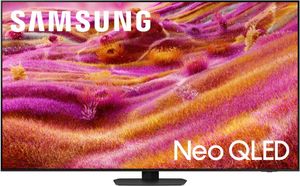
This is the workhorse pick for a bright living room where the mount lands near seated eye level. The Neo QLED backlight brings serious brightness, which matters in a west-facing Arizona room with afternoon sun coming through the windows. At 65 inches, the panel measures roughly 32 inches tall, putting the bottom edge near 26 inches from the floor at the standard 42-inch center height. Vision AI handles upscaling and picture tuning by content type. Pair it with a low-profile fixed mount for a clean, flush look on a wall you can hit correctly.
Top Features
- High-brightness Neo QLED panel: Cuts through daylight and lamp glare in rooms with a lot of natural light.
- Vision AI processing: Tunes upscaling and picture settings based on what you are watching.
- 65-inch size class: Fits the 8 to 13.5 foot viewing distance that covers most living rooms.
- Slim depth profile: Sits close to the wall on a low-profile mount for a built-in appearance.
Samsung S90F 77” 4K Ultra HD OLED Vision AI Smart TV
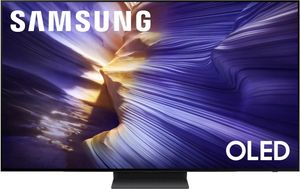
When the fireplace wall is the only wall, this is the set to put on it. OLED holds contrast and color at steep viewing angles, so the picture survives a mount higher than the textbook number far better than an LED panel would. At 77 inches the screen stands roughly 38 inches tall, which drops the bottom edge low and helps recover some of the height a mantel forces on you. The result is a large, cinematic picture that still looks right from a sofa positioned below it.
Top Features
- Self-lit OLED pixels: Keep black levels and color accurate when viewed from below.
- 77-inch screen size: Delivers a theater-scale picture in great rooms and open-plan spaces.
- Vision AI picture processing: Adapts brightness and detail scene by scene.
- Above-fireplace friendly: The best panel choice when architecture forces a higher mount.
LG C5 Series 65” 4K Ultra HD OLED evo AI Smart TV
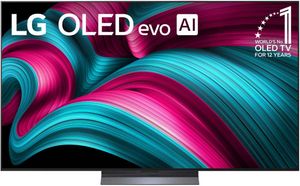
The C5 is the balanced choice for a media room or a family room where seating spreads across a wide arc. OLED evo adds brightness over standard OLED while keeping the wide viewing angle that makes off-center and slightly-below seats look good. Its thin panel sits tight against the wall on a slim mount, which suits rooms where the TV should read as art rather than equipment. At 65 inches, plan on a 26-inch bottom-of-screen height for standard sofa seating.
Top Features
- OLED evo panel: Brighter than standard OLED without giving up off-angle performance.
- Wide viewing angle: Holds picture quality for seats spread across the room.
- Slim wall profile: Nearly flush on a low-profile or in-wall mount.
- Gaming-ready inputs: Suits a media room that doubles as a console setup.
Samsung F6000F 40” Full HD LED Smart TV
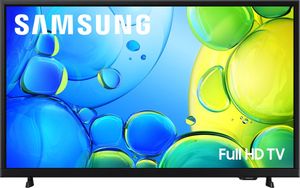
Small rooms are where mounting height mistakes hurt most, and this 40-inch set is built for them. Guest bedrooms, home offices, kitchens, and workout corners rarely have the depth for a large panel. The compact size keeps weight low, which widens your mount options and makes a swivel arm practical even on a modest wall. Because it is an LED panel, get the height right rather than pushing it up high, and add tilt if the room forces it above eye level.
Top Features
- 40-inch compact size: Right-sized for bedrooms, offices, and kitchen walls.
- Light panel weight: Opens up swivel and full-motion mount options.
- Full HD resolution: Plenty of detail at the short viewing distances these rooms allow.
- Smart TV platform: Streaming apps built in without an extra box on the shelf.
Samsung M70H 75” Titan Black 4K Mini LED TV
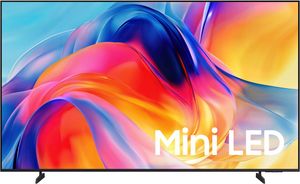
Bright rooms with a lot of glass need output, and Mini LED backlighting supplies it. This 75-inch set is a strong fit for a family room or a covered patio-adjacent space where ambient light washes out lesser panels. The screen stands roughly 37 inches tall, so at the standard 42-inch center height the bottom edge lands near 23.5 inches from the floor. That is low, so plan console height accordingly and keep the mount close to eye level to get the full benefit of the backlight.
Top Features
- Mini LED backlight: Stronger brightness and finer local dimming than standard LED.
- 75-inch screen size: Suits a 9.5 to 15.5 foot viewing distance.
- Titan Black finish: Low-glare bezel that disappears against a dark wall.
- Bright-room performance: Holds up in spaces with large windows and afternoon sun.
Samsung QN990F 85” 8K Ultra HD QLED Vision AI Smart TV
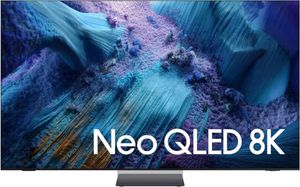
This is the great room anchor, and it is the one where height planning matters most. At 85 inches the panel is roughly 42 inches tall, which means the correct center height puts the bottom edge only about 21 inches off the floor. Any console beneath it needs to be low. The 8K resolution and Vision AI upscaling reward a viewing distance of 10.5 feet or more, so confirm the room depth before committing. Professional installation is the sensible route on a panel this size.
Top Features
- 8K resolution with AI upscaling: Adds detail to 4K and HD sources on a very large screen.
- 85-inch size class: Built for great rooms with 10.5 feet or more of viewing distance.
- QLED brightness: Handles open-concept rooms with multiple light sources.
- Installation-ready design: Best mounted by a professional crew given panel size and weight.
Now You Know Exactly How High to Mount a TV in Every Room
Start from seated eye level near 42 inches, adjust for screen size and for the room you are actually in, and choose a mount that supports the height the space demands rather than fighting it. Get those three decisions right and the wall gets drilled once.
Ready to put it on the wall? Shop TVs, mounts, and installation packages at Spencer’s TV & Appliance online or in any of our showrooms across the Valley. Our team will walk you through screen size and viewing distance in person, our installers handle masonry walls and above-fireplace mounts every week, and our service department is local when you need it. That is the difference between buying from neighbors and buying from a warehouse.
Frequently Asked Questions About How High to Mount a TV
A 65-inch TV should have its screen center about 42 inches from the floor, which places the bottom edge near 26 inches. The panel is roughly 32 inches tall, so half of that height subtracts from your seated eye level to give you the bottom-of-screen mark.
No, 42 inches to the center of the screen is the standard recommendation for seated sofa viewing. Confusion usually comes from measuring to the bottom of the panel instead of the center, which makes the number look higher than it is.
In a bedroom, aim for a screen center of roughly 50 to 60 inches from the floor. You watch reclined against pillows, so your sightline already runs upward and a tilting mount helps angle the picture back toward you.
Keep the vertical viewing angle under 15 degrees from screen center, following the THX recommendation. Beyond that point neck strain sets in and LED panels start losing contrast and color accuracy when viewed from below.
Leave 4 to 6 inches between the bottom of the screen and the top of a console or credenza. That gap keeps the panel from looking like it is sitting on the furniture and leaves room for a soundbar and streaming devices.
Mounting into studs is strongly preferred, though heavy-duty toggle anchors rated well above the TV weight can work in solid drywall for smaller sets. For anything 55 inches or larger, or for masonry and metal-stud walls, have the install evaluated by a professional.
Why Trust Spencers TV & Appliance?
Since 1973, Spencer’s TV & Appliance has grown to 11 locations throughout the Phoenix Metropolitan Area. The secret to our longevity is simple: personal service. Customer satisfaction has always been the focus of our business, and throughout the years, we have been able to work hard with our suppliers to bring you the best prices. After all, getting customers the best price and personal attention is how we compete with big-box stores, day in and day out.
Not only do we offer top-rated appliances, name-brand electronics, and the best mattresses on the market but we also provide water treatment solutions and perform kitchen design services. Stop by your nearest Spencer’s and see what you’re missing!
Shop Tvs at Spencers
At Spencers TV & Appliance, we provide high-quality, name-brand products at great prices. Your friends in the business are always happy to help you choose the best mattress for lower back and leg pain. Call us, or better yet, stop by at one of our locations in the Phoenix, Scottsdale, and Glendale regions. Visit us today!